From Concept to Campaign – Creating a Playable Ad with QuickGames.co.in
You don’t need to be a game developer or graphic designer to launch a high-converting playable ad. With QuickGames.co.in, creating an interactive ad is as easy as writing a tweet. Whether you're promoting a mobile game, fitness app, eCommerce product, or fintech tool, this guide walks you through the step-by-step process—from idea to launch. Let’s dive into how anyone can build a compelling playable ad in minutes using AI.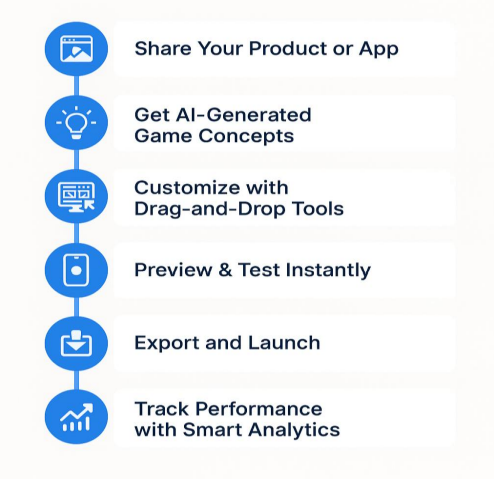
Step 1: Share Your Product or App
Start by entering your app store link or briefly describing your product. Our AI uses this input to:- Analyze your brand and niche.
- Understand your target audience.
- Suggest suitable mini-game formats (like tap, swipe, match, quiz, etc.)
Step 2: Get AI-Generated Game Concepts
Based on your product and marketing goal (engagement, installs, awareness), our AI engine recommends interactive experiences. Examples:- A fintech app → Swipe-to-save challenge
- A fashion brand → Style-matching mini-game
- A food delivery app → Tap to collect orders
Step 3: Customize with Drag-and-Drop Tools
Once you choose a game idea, you’ll enter our no-code editor where you can:- Change colors, text, buttons, and layout
- Add branded assets (logos, icons, mascots)
- Set up scoring logic and CTA screens
Step 4: Preview & Test Instantly
Export your playable ad in ad network–ready formats:- Google Ads
- Meta (Facebook/Instagram)
- Unity Ads
- TikTok, Snapchat, and more
Step 6: Track Performance with Smart Analytics
After launch, QuickGames.co.in helps you monitor:- CTR, play-through rate, and install rate
- Drop-off points and engagement time
- Suggestions to improve next iterations
Why This Workflow Matters
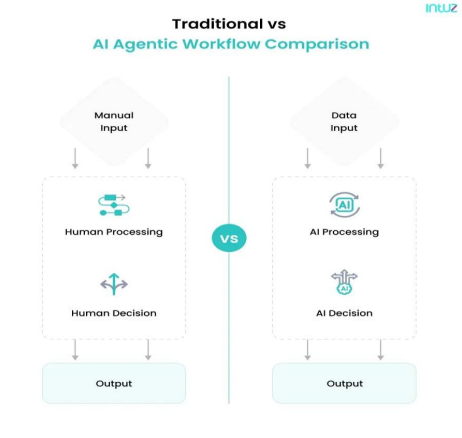
- Run seasonal or trend-based campaigns quickly
- A/B test multiple ideas without extra development
- Spend more time optimizing and scaling what works